Apple MacBook Pro 14 (M5, 2026) vs Air 13 M5 (2026)
75
out of 100

VS
65
out of 100
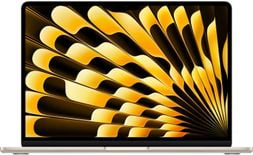
Please select specific configurations for the laptops to get a more accurate comparative review
Review
Performance
System and application performance
Gaming
Performance in popular 3D games
Display
Viewing angle, color accuracy, brightness
Battery Life
Potential battery life in light and average use
Connectivity
Ports, webcam and other interfaces
Portability
Design, materials, durability and usability
Pick the usage scenario that best matches your needs
Value for money (Beta)
Key Differences
Advantages of the Apple MacBook Pro 14 (M5, 2026)
- Higher screen refresh rate: 120 versus 60 Hz
- Higher number of cutting-edge USB Type-C ports: 3 versus 2
- Features a much bigger (~35%) battery – 72.4 against 53.8 watt-hours
- Thinner bezels and 3% higher screen-to-body ratio
- Can run popular games at about 13-18% higher FPS
- Provides 100% higher max. screen brightness: 1000 vs 500 nits
Advantages of the Apple MacBook Air 13 M5 (2026)
- Easier to carry: weighs 370 grams less (around 0.82 lbs)
Tests and Specifications
Comparison table of test results and technical specsCase
| Weight | 1.6 kg (3.53 lbs) | 1.23 kg (2.71 lbs) |
| Dimensions | 312.6 x 221.2 x 15.5 mm 12.31 x 8.71 x 0.61 inches |
304.1 x 215 x 11.3 mm 11.97 x 8.46 x 0.44 inches |
| Area | 691 cm2 (107.2 inches2) | 654 cm2 (101.3 inches2) |
| Screen-to-body ratio | ~84.6% | ~82% |
| Side bezels | 3.4 mm | 5.6 mm |
| Colors | Black, Silver | Black, Silver, Gold, Blue |
| Material | Aluminum | Aluminum |
| Transformer | No | No |
| Opening angle | 135° | 130° |
| Kensington lock | No | No |
| Model codes | Mac17,7 / A3427 | Mac17,3 / Mac17,4 |
Size comparison
| Cooling system | Active | Passive |
| Vapor chamber | No | No |
| Liquid metal | No | No |
| Number of fans | 2 | - |
| Noise level (max. load) | 53.2 dB | - |
Display
| Size | 14.2 inches | 13.6 inches |
| Type | Mini LED | IPS LCD |
| Refresh rate | 120 Hz | 60 Hz |
| Adaptive refresh rate | Yes (24-120 Hz) | No |
| PPI | 254 ppi | 225 ppi |
| Aspect ratio | 16:10 | 16:10 |
| Resolution | 3024 x 1964 pixels | 2560 x 1664 pixels |
| HDR support | Yes, Dolby Vision | Yes, Dolby Vision |
| Sync technology | No | No |
| Touchscreen | No | No |
| Coating | Glossy (Antireflective) | Glossy (Antireflective) |
| Ambient light sensor | Yes | Yes |
Screen space comparison
MacBook Pro 14 (M5, 2026)
14.2″ (16:10 ratio) = 90.6 in2
MacBook Air 13 M5 (2026)
13.6″ (16:10 ratio) = 83.1 in2
~9% more screen space
| Contrast | 1000000:1 | 1437:1 |
| sRGB color space | 100% | 100% |
| Adobe RGB profile | - | 86.8% |
| DCI-P3 color gamut | 100% | 98.1% |
| Response time | - | 20 ms |
Max. brightness
Battery
Capacity
| Full charging time | 1:30 hr | - |
| Battery type | Li-Po | Li-Po |
| Replaceable | No | No |
| Fast charging | Yes (50% in 30 min) | Yes |
| Charging via USB (Power Delivery) | Yes, 100 W | Yes |
| Charging port position | Left, Right | Left |
| Charge power | 70 / 96 W | 35 / 40 / 70 W |
| Cable length | 2 meters | 2 meters |
| Weight of AC adapter | 165 / 375 grams | 116 / 80 / 167 grams |
CPU
CPU name
| Base frequency | 4.61 GHz | 4.61 GHz |
| Cores | 10 (4P + 6E) | 10 (4P + 6E) |
| Threads | 10 | 10 |
| Integrated GPU | Apple M5 GPU (10-core) | Apple M5 GPU (8-core) |
| Fabrication process | 3 nm | 3 nm |
Benchmarks
Geekbench 6 (Single-Core)
Geekbench 6 (Multi-Core)
Cinebench 2024 (Single-Core)
Cinebench 2024 (Multi-Core)
Graphics Card
GPU name
| Type | Integrated | Integrated |
| Fabrication process | 3 nm | 3 nm |
| GPU boost clock | 1620 MHz | 1620 MHz |
| FLOPS | 4.1 TFLOPS | 3.3 TFLOPS |
| Memory size | System Shared | System Shared |
| Memory type | LPDDR5X | LPDDR5X |
| Memory bus | 128 bit | 128 bit |
| Memory speed | 9.6 Gbps | 9.6 Gbps |
| Shading units (cores) | 1280 | 1024 |
| Texture mapping units (TMUs) | 80 | 64 |
| Raster operations pipelines (ROPs) | 40 | 32 |
| GPU performance | 4.1 TFLOPS | 3.3 TFLOPS |
| Blender GPU | 2006 | 1734 |
| Solar Bay | 22280 | 17375 |
RAM
RAM size
| Channels | 2x8 GB | 2x8 GB |
| Clock | 9600 MHz | 9600 MHz |
| Type | LPDDR5X | LPDDR5X |
| Upgradable | No | No |
Storage
Storage size
| Bus | PCI-E Gen 5.0 (4x) | Custom |
| Storage type | SSD (M2) | SSD (M2) |
| Channels | 2x512 GB | 2x256 GB |
| Upgradable | No | No |
| NVMe | Yes | Yes |
Sound
| Speakers | 2.4 (2 tweeters and 4 woofers) | 2.2 (2 tweeters and 2 woofers) |
| Dolby Atmos | Yes | Yes |
| Loudness | ~83.1 dB | ~82.1 dB |
| Microphones | 3 | 3 |
Connectivity
| Wi-Fi standard | v7 | v7 |
| Bluetooth | v6.0 | v6.0 |
| Fingerprint | Yes | Yes |
| Infrared sensor | No | No |
| Optical drive | No | No |
| Webcam | Above the display | Above the display |
| Webcam resolution | 1920 x 1080 | 1920 x 1080 |
| USB-A | No | No |
| USB Type-C | 3x USB 4.0 | 2x USB 4.0 |
| Thunderbolt | Thunderbolt 5 | Thunderbolt 4 |
| HDMI | 1x HDMI 2.1 | No |
| DisplayPort | No | No |
| VGA | No | No |
| Audio jack (3.5 mm) | Yes | Yes |
| Ethernet (RJ45) | No | No |
| SD card reader | Yes | No |
| Proprietary charging port | Yes | Yes |
Input
| Keyboard type | Island | Island |
| Numpad | No | No |
| Backlight | Yes | Yes |
| Key travel | 1 mm | 1 mm |
| Size | 13.2 x 8.1 cm | - |
| Surface | Glass | Glass |
| Windows Precision | No | No |
Further details
Notes on MacBook Pro 14 (M5, 2026):
- The standard M5 model has Thunderbolt 4, while the M4 Pro and Max feature Thunderbolt 5.
*Disclaimer! Ports, speakers, display, and other specifications can vary depending on the laptop's specific configuration or region.
Cast your vote
Total votes: 62
